Rooted Hosting KB01
How to connect to your Rooted Hosting storage and webmail
Depending on which area of our datacenter you are connected to the login will vary, you will have been provided with the access during your onboarding; address for login, and your username and password.
For this example we will use https://rh01.login.rootedhosting.co.uk
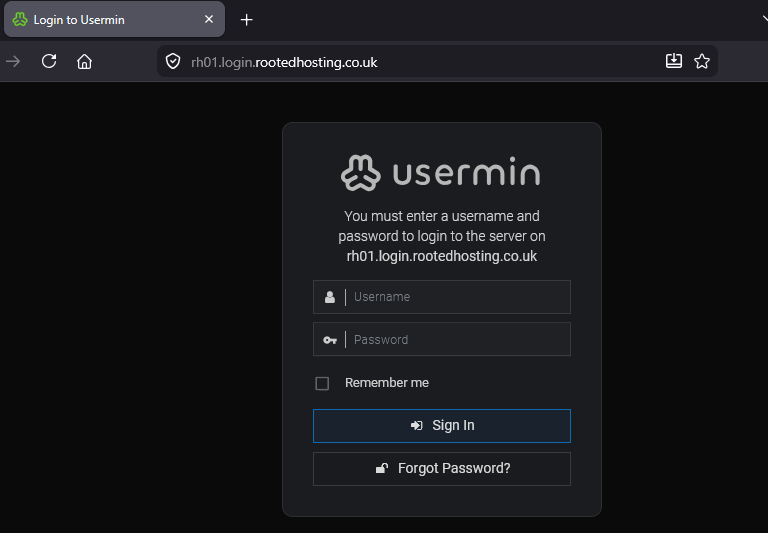
- Connect to your login page
- Enter username and password and sign in
- You're all set.
Please ensure that your password is a secure one, remember this is your data and you are responsible for it (see our TOS)
Accessing your Wordpress sites
If you're a RootedHosting customer on our 1/1/5 plan or above then you likely have a WordPress website with your own database. Here's how you access it:
- Connect to your domain with /wp-admin after, example would be https://rootedenergy.co.uk/wp-admin
- Log in with the credentials provided upon creation, these are different to your control panel
- Connect and enjoy building your bespoke WordPress site!
Please ensure that your password is a secure one, remember this is your data and you are responsible for it (see our TOS)
If you need help or want to have a professional site we can pass your details over to a trusted partner.
Emails! Who doesn't love emails..
We currently have no plans to host emails for customers, there is a long and technical reason for not doing so but in short it is best summed up with one word: trust.
For now we can configure your DNS to forward emails to hotmail, gmail, live, and many other services.
Microsoft have some guides for this like this one but if you want us to configure it let us know and we can explain the options available.
If we do open up emails in the future we will send out some information and offer you the option for bespoke internet-wide mailboxes.
Final words
As always, if you have any issues please email us at hello@rootedhosting.co.uk
— Adam